.png)
Most planners are built for brains that already remember to open them. An ADHD planner has to earn its place a different way — by making the next step obvious and time finally visible.
Here's the trap with most planners and ADHD: they assume the hard part is writing the task down. It isn't. The hard part is the twelve small decisions between waking up and actually starting — what to do first, how long it'll take, whether that thing at 3pm is soon or ages away. That last one has a name. Time blindness — the difficulty of sensing how much time has passed or how long something will take — is one of the most disruptive parts of ADHD, and it's the thing a generic day-planner does nothing to fix.
A planner built for ADHD works differently. It shrinks decisions, makes time physical, and forgives the days you skip. Below are the best ADHD planner picks for 2026 from the Reassurix Etsy shop — split by Notion (automation and priority) and GoodNotes (handwriting and calm) — so you can choose the one your brain will actually keep using.
Minimalist productivity system · time-blindness buster · instant download
What makes a planner actually ADHD-friendly?
Plenty of products slap “ADHD” on a pretty template. The ones that survive contact with a real ADHD week share three traits — and these are the traits we ranked for.
Time blocks, task durations, and visual progress turn an invisible resource into something you can see. When “later” becomes a block on a page, the 3pm deadline stops ambushing you at 2:55.
A single list that reorders by priority beats five color-coded dashboards you have to maintain. The best ADHD planners answer “what now?” in one glance so you spend willpower on the task, not on planning the task.
Miss three days in a dated planner and you meet a wall of blank guilt. Undated, flexible layouts let you restart today — the single most important feature for anyone whose consistency comes in bursts.
The 5 best ADHD planners for 2026
1Best overall & best Notion — Notion ADHD Planner (Time Blindness Buster)
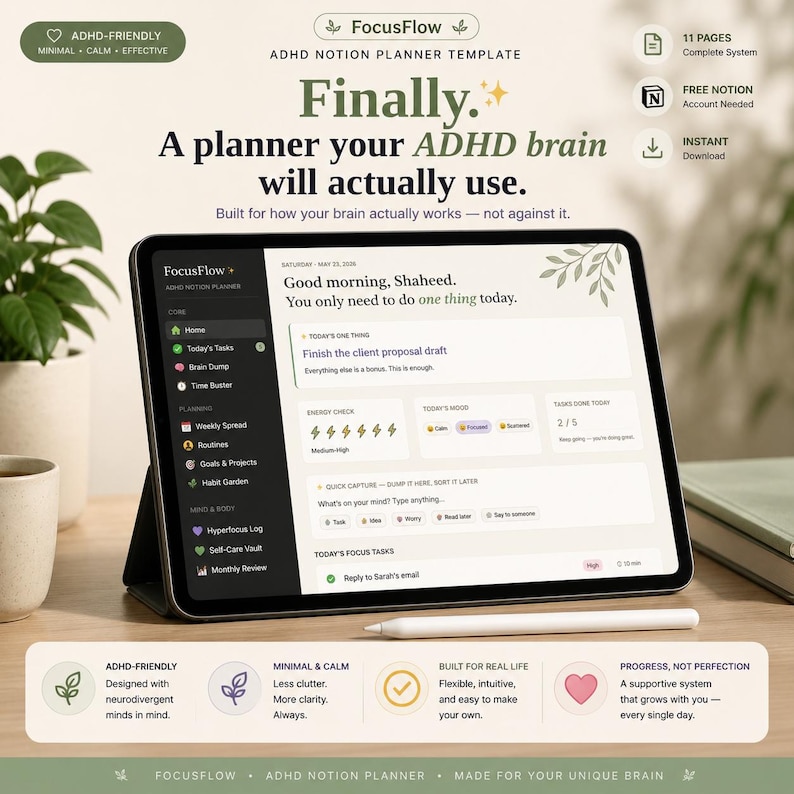
This is the pick if you want a system that does the prioritizing for you. The Notion ADHD Planner Template is a minimalist productivity system built explicitly as a time-blindness buster: a smart task hub that surfaces what matters by urgency, a brain-dump inbox for the thoughts that arrive mid-task, and clean routines you don't have to rebuild every morning. It runs in any browser and on the free Notion app, so your plan is on your phone the second you think of something.
2Best for handwriting — ADHD Digital Planner for GoodNotes (Undated, Light/Dark)
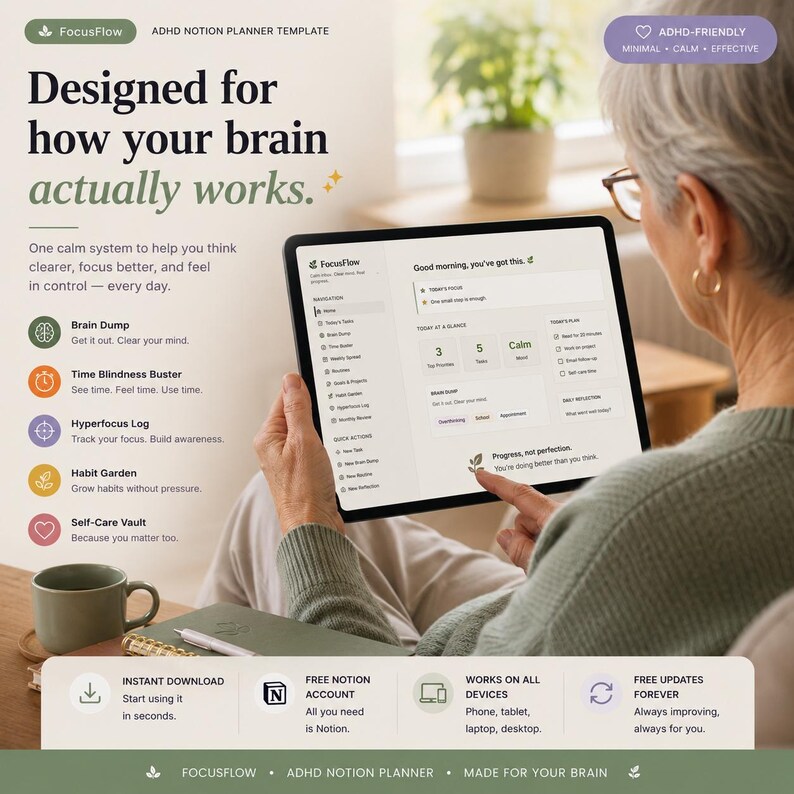
If typing into a database feels like one more thing to manage, write instead. This undated ADHD Digital Planner is a hyperlinked PDF for the iPad with both light and dark modes — low-stimulation, calm, and undated so you start any day without guilt. Drop it into GoodNotes, Notability or Xodo and the handwriting itself becomes part of how you focus.
3Best value — ADHD Digital Planner Bundle (Notion + GoodNotes)
Can't tell whether you're a Notion person or a paper person? Most people with ADHD are both, on different days. The ADHD Digital Planner Bundle pairs the Notion system with the undated GoodNotes planner — minimal, light/dark, one purchase — so you can capture in Notion and focus in GoodNotes without buying twice.
4Best for students — Notion Student Template Bundle (ADHD Assignment Tracker)
School is where time blindness does the most damage. The Notion Student Template Bundle includes an ADHD-aware assignment tracker and a note-taking planner, so deadlines and readings live in one prioritized place instead of scattered across apps and memory.
5Best all-in-one life hub — Notion Life OS
When the planner needs to hold more than a to-do list, the Notion Life OS is a second-brain system for goals, projects, habits and finances. It's the pick for anyone whose ADHD means important things fall through the cracks between separate apps — one hub, everything captured.
$7.99 each · instant digital download · minimal, low-stimulation designs
Notion vs. GoodNotes for ADHD: an honest comparison
There's no universally “better” format — only the one your brain resists less. Here's how they actually differ for ADHD.
| What matters for ADHD | Notion | GoodNotes (iPad) |
|---|---|---|
| Auto-prioritizes tasks | Yes, by urgency | No, manual |
| Handwriting to focus | Limited | Yes, core strength |
| Brain dump / quick capture | Yes, from any device | Yes, on the page |
| Low-stimulation / dark mode | Yes | Yes, light & dark |
| Undated, guilt-free | Yes | Yes |
| Best when you feel... | Scattered, need structure | Overwhelmed, need calm |
Rule of thumb: reach for Notion when you have too many open loops and need something to sort them; reach for GoodNotes when screens feel loud and writing one page by hand is all you can manage. The bundle covers both moods.
How to actually stick with an ADHD planner
The best template in the world fails if it asks too much on day four. A few things help more than any feature:
- Lower the bar to opening it. Keep the Notion planner pinned or the GoodNotes file on your home screen — friction is the enemy.
- Brain-dump first, organize later. Get the thought out of your head into the inbox the instant it appears; sort it when you have capacity.
- Time-block one thing, not the whole day. Make the next block visible. Over-planning is just procrastination with a highlighter.
- Forgive the gap and restart today. Undated pages exist so a missed week costs you nothing but today's page.
These are organization tools, not medical treatment. They pair well with strategies from a clinician or ADHD coach — groups like CHADD and resources such as ADDitude are good starting points — but if you're struggling, talk to a qualified healthcare professional.
Who these ADHD planners are for
These fit adults and students with ADHD (diagnosed or self-identified) who've bounced off traditional planners; anyone whose to-do list lives in seven apps and their memory; people who need time made visible to beat that “where did the afternoon go” feeling; and neurodivergent folks who want minimal, low-stimulation designs instead of busy, over-colored templates. If dated planners have made you feel like a failure by January, an undated, forgiving system is the reset.
Frequently asked questions
What is the best ADHD planner for 2026?
The best ADHD planner reduces friction rather than adding rules. For a flexible digital hub, the Reassurix Notion ADHD Planner is the top pick — it prioritizes by urgency and fights time blindness. For handwriting, the undated GoodNotes ADHD planner with light/dark mode is best, and the bundle gives you both.
Is Notion or GoodNotes better for ADHD?
Notion is better for automation, reminders and a self-prioritizing task list that cuts decision fatigue. GoodNotes is better if writing by hand helps you focus. Many people with ADHD use Notion to capture and GoodNotes to focus.
How does an ADHD planner help with time blindness?
It makes time visible — time-blocked days, task durations, visual progress, and one prioritized list so you're not re-deciding constantly. The Reassurix Notion ADHD Planner is built specifically as a time-blindness buster.
Should an ADHD planner be dated or undated?
Undated is usually better. A dated planner creates guilt when you miss days; an undated one, like the Reassurix ADHD Digital Planner, lets you start any day and pick back up after a gap without a wall of blank dates.
Do these ADHD planners work on iPad and Android?
The Notion planners run in any browser and the Notion app on iPhone, iPad, Android, Mac and Windows. The GoodNotes planner is a PDF for iPad apps like GoodNotes, Notability or Xodo, and also works in Android PDF annotation apps.
Are these ADHD planners a medical treatment?
No. They're organization and productivity tools, not a substitute for professional care. They complement guidance from a clinician or ADHD coach but don't diagnose or treat ADHD. If you're struggling, speak with a qualified healthcare professional.
Final thoughts
An ADHD planner isn't about becoming a different, tidier person. It's about building a system that expects the scattered days, makes time something you can actually see, and lets you restart without shame. Pick the format your brain fights least — Notion for structure, GoodNotes for calm — and let it carry the part your working memory keeps dropping.
Keep reading: our guides to the best digital teacher planners for 2026-2027 and the best student assignment trackers for Google Sheets.
See the full Notion and GoodNotes ADHD planners — and start 2026 with a system built for how your brain actually works.
Get the ADHD Planner Bundle →
Join the conversation