
A course tells you what to learn next. A reading list just sits there. A personal curriculum does the one thing both miss — it remembers where you are, so learning on your own stops feeling like starting over every week.
The problem with teaching yourself something was never a shortage of material. There's a free course, a book, and nine tabs open right now. The problem is continuity — knowing what you were in the middle of, which resource was actually good, and whether last month counted for anything. Self-directed learning quietly falls apart in the gap between one study session and the next.
A personal curriculum Notion template closes that gap. You design the plan once, log each session as you go, and the workspace keeps the score — progress, study time, streaks, milestones — so picking up tomorrow takes ten seconds instead of ten minutes of "where was I?" For 2026, here's a close look at the Personal Curriculum template from the Reassurix Etsy shop, plus the companion tools that pair with it.
Notion + 6-page AI Prompt Pack · automatic progress tracking · instant download
What makes a great self-study template?
"Learning template" covers everything from a blank note to a bloated system you'll never fill in. The ones worth using share three things.
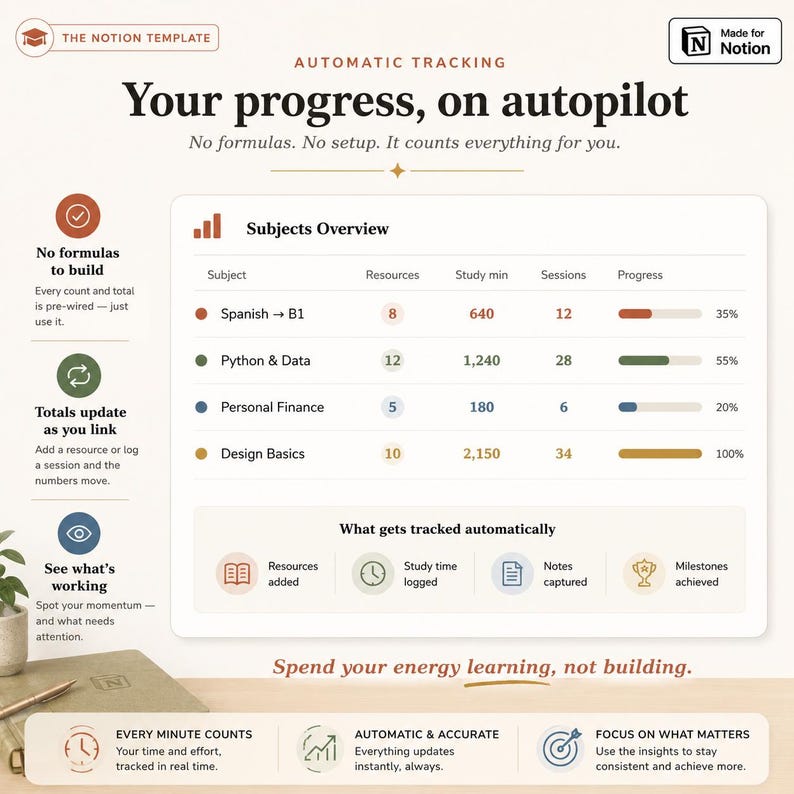
You should never have to tally your own progress. A good template rolls up completed resources, study hours and milestones automatically — so opening it shows you how far you've actually come, not a wall of untouched rows.
Subjects, resources, notes and sessions belong together. When each book links to a subject and each session links to a resource, "what did I learn about this, and where?" is one click — not a search across five scattered docs.
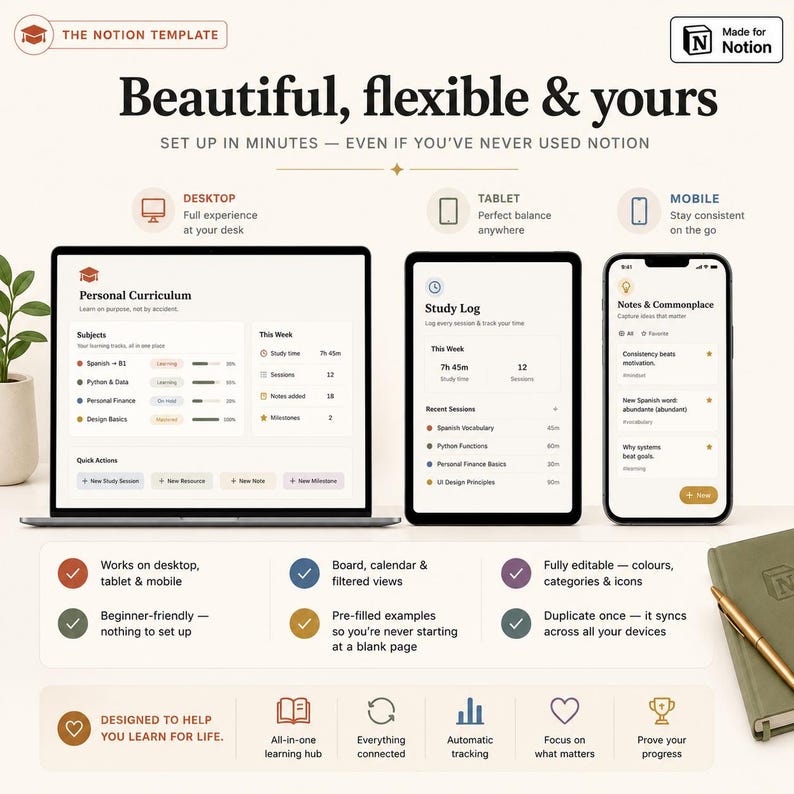
A Notion workspace opens free on desktop, tablet and phone with nothing to install — the difference between a system you touch daily and one you set up once and abandon.
The best self-study & personal curriculum tools for 2026
1Best overall — Personal Curriculum Notion Template (+ AI Prompts)
This is the pick if you want your whole learning life in one connected place. The Personal Curriculum template runs on five databases that talk to each other — Subjects (your learning tracks, with auto progress and status), Resources (books, courses, videos and podcasts, rated and linked to a subject), Study Log (log each session and watch your time and streak grow), Notes & Commonplace (insights, quotes, questions and vocabulary), and Milestones (projects, certificates, exams and skill checks that prove it). It ships with pre-filled examples, a step-by-step PDF setup guide, and a 6-page Notion AI Prompt Pack — and it works free on desktop, tablet and mobile.
2Best for students — Notion Student Template Bundle
Self-teaching alongside actual coursework? The Notion Student Template Bundle pairs an assignment tracker with a note-taking planner, so class deadlines and self-study notes live in the same Notion workspace as your personal curriculum — free on every device.
3Best for focus — Notion ADHD Planner (Time Blindness Buster)
If study sessions slip because time feels invisible, a curriculum alone won't fix the starting problem. The Notion ADHD Planner prioritises tasks by urgency and is built as a time-blindness buster — ideal for learners who know what to study but struggle to begin.
4Best for handwriting — Back to School Student Planner 2026-2027 (GoodNotes)
Prefer to plan by hand? The Back to School Student Planner is a hyperlinked PDF for the iPad — weekly spreads and calendars you tap between. Import it into GoodNotes and write your study plan out longhand while your Notion curriculum keeps the running record.
5Best for deadlines — Student Assignment Tracker (Google Sheets & Excel)
When self-study includes hard due dates — exam registrations, course cohorts, application windows — the Student Assignment Tracker sorts every deadline by urgency and flags what's overdue in a Google Sheets or Excel dashboard.
6Best money tool — Ultimate Budget & Debt Payoff Tracker
Learning on your own often means paying for courses, books and tools. The Ultimate Budget & Debt Payoff Tracker (Google Sheets/Excel dashboard) keeps your learning budget honest in the same muscle memory as your curriculum.
Instant digital download · Notion, Google Sheets, Excel & GoodNotes
Notion vs. spreadsheet vs. paper notebook: which fits self-study?
The right format is the one you'll open on a slow Tuesday night. Here's the trade-off for learning on your own.
| What matters | Personal Curriculum (Notion) | Spreadsheet | Paper notebook |
|---|---|---|---|
| Automatic progress tracking | Yes, built-in rollups | Yes, with formulas you build | No |
| Links resources to subjects | Yes, relational | Clunky | No |
| Stores notes & quotes too | Yes, in the same space | Limited | Yes, by hand |
| Study log, streaks & time | Yes, automatic | Manual | Manual |
| Opens anywhere free | Yes, desktop/tablet/phone | Yes | N/A |
| Best for | A full learning system | Numbers & deadlines | Quick reflection |
Bottom line: choose the Personal Curriculum Notion template when you want one connected system for everything you're teaching yourself — plan, resources, sessions, notes and proof of progress. A spreadsheet wins for pure deadline math, and paper is lovely for reflection, but neither keeps the whole picture linked the way this template does.
How to set up your Personal Curriculum in Notion
- Download after checkout — delivery is instant. You get a PDF with your template link, a setup guide, and the 6-page Notion AI Prompt Pack.
- Click "Duplicate" to copy the full template into your own free Notion account — desktop, tablet or mobile.
- Add your first subject — the language, skill or topic you're learning — then drop in a resource or two (a course, a book, a channel).
- Log each session as you study. The Study Log grows your streak and total time, and progress rolls up automatically. No formulas to build.
- Clear the sample data once you've seen how it works, then use the AI Prompt Pack to plan lessons, quiz yourself, and summarise what you learned.
Who this template is for
This fits self-directed learners and autodidacts who want to learn on purpose, not by accident; language learners tracking vocabulary, resources and practice in one place; people teaching themselves to code or a new craft; students and homeschoolers who want a personal learning record beyond the syllabus; and career-changers building skills toward a certificate or portfolio. If you've ever started a course with real momentum and quietly lost the thread three weeks in, a system that remembers where you were is worth far more than it costs.
Frequently asked questions
What is a personal curriculum Notion template?
It's a self-study workspace that lets you design your own learning plan and track it in one place. The Reassurix template uses five connected databases — Subjects, Resources, Study Log, Notes & Commonplace, and Milestones — so progress, study time and streaks update automatically as you learn.
Is Notion good for self-directed learning?
Yes. Notion keeps your curriculum, resources, study log and notes in one linked workspace, free on every device. A ready-made template saves you from building the databases yourself, so you start learning on purpose within minutes instead of designing a system first.
Do I need a paid Notion account?
No. A free Notion account is all you need. After purchase you get a PDF with a duplicate link — click Duplicate to copy the template into your workspace, and it works fully on the free plan.
How do I set it up?
You instantly receive a PDF with your template link and a step-by-step guide. Open Notion, click Duplicate, then add your first subject and resource. Pre-filled examples show how each database works, and the 6-page AI Prompt Pack helps you plan and review.
What's included in the download?
A link to duplicate the full Personal Curriculum Notion template, a step-by-step PDF setup and user guide, and a 6-page Notion AI Prompt Pack — delivered instantly as a digital download.
Who is it best for?
Self-directed learners and autodidacts, students and homeschoolers, language learners, people teaching themselves to code, career-changers, and anyone building a lifelong learning habit who wants plan, resources and progress in one Notion workspace.
Final thoughts
Teaching yourself something rarely fails on the material — it fails in the gaps, when a busy week erases the thread and starting again feels like too much. A personal curriculum Notion template quietly removes that failure mode: it holds your plan, links your resources, logs your sessions, and shows the progress you'd otherwise never see. Set it up once, and let the workspace do the remembering while you do the learning through 2026 and beyond.
Keep reading: our guides to the best ADHD planners for 2026 and the best Notion templates for students.
See the full Personal Curriculum dashboard, all five databases and the AI Prompt Pack on the Reassurix Etsy listing.
Get the Personal Curriculum Template →
Join the conversation